How to Create a QR Code for Free in 2026
May 2026 · 6 min read
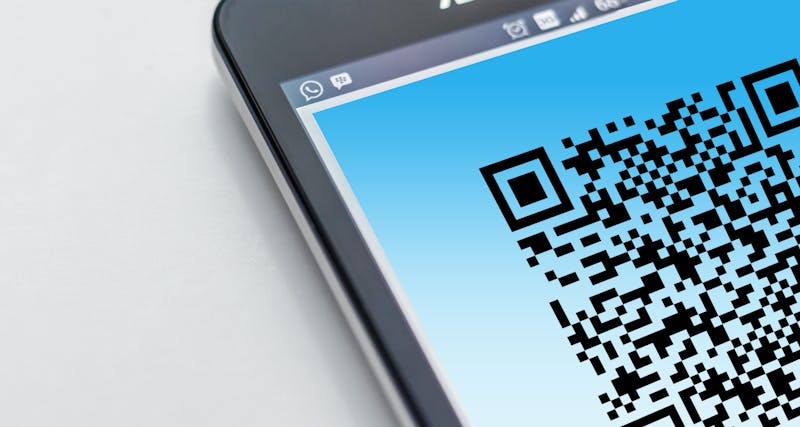
QR codes are everywhere in 2026 — on restaurant menus, product packaging, conference badges, and business cards. Creating one used to require a paid subscription. Today, you can generate a professional QR code in seconds for free.
What is a QR code?
A QR code (Quick Response code) is a two-dimensional barcode that can be scanned by any modern smartphone camera. When scanned, it instantly opens a URL, dials a phone number, connects to a WiFi network, or triggers another action — depending on what is encoded inside it.
Static vs dynamic QR codes
Before you create a QR code, you need to understand the difference between static and dynamic codes. This distinction will save you a lot of trouble later.
Static QR codes
The destination is encoded directly into the QR pattern. The code will work forever as long as the content it points to remains valid. No account required. No monthly fee.
Dynamic QR codes
The code points to a redirect URL controlled by a third-party service. If the service is discontinued or moves behind a paywall, your code stops working — even after you have already printed it on thousands of materials.
For most use cases — business cards, menus, signage, product packaging — a static QR code is the right choice. It is permanent, private, and free.
How to create a free QR code in 2026 (step by step)
Choose your QR code type
Decide what you want the QR code to do. The most common type is a URL, which opens a website when scanned. You can also create QR codes for phone numbers, email addresses, WiFi networks, contact cards (vCard), SMS messages, and GPS locations.
Enter your content
Open QuikQR and select the appropriate tab. For a URL, paste your website address. For WiFi, enter the network name, password, and security type. For a vCard, fill in the contact details you want to share.
Customise the design
Choose your foreground and background colors. Pick a dot style — square, rounded, or dots. You can also upload a logo to display in the centre of the QR code. If you add a logo, set the error correction level to H for reliable scanning.
Preview and test
The QR code updates live as you type. Before downloading, open your phone's camera app, point it at the screen, and confirm it scans correctly and opens the right content.
Download in the right format
Choose PNG for digital use (websites, emails, presentations). Choose SVG for print — it is a vector format that scales to any size without losing sharpness, which is essential for banners and large-format printing.
Best practices for QR codes in 2026
- Always test before printing — scan the preview on screen before committing to a print run.
- Use SVG for anything larger than a business card to ensure crisp edges at any size.
- Keep the destination URL short. Shorter URLs produce simpler QR patterns that scan faster.
- Maintain contrast. Dark code on a light background scans more reliably than inverted designs.
- Add a short call-to-action next to the code such as "Scan to visit our menu" so people know what to expect.
- Avoid placing QR codes in low-light locations or on curved surfaces where distortion can impede scanning.
QR code use cases by industry
Restaurants
Digital menus, table ordering, feedback surveys
Retail
Product information, loyalty programmes, reorder links
Events
Ticketing, speaker bios, session schedules, WiFi access
Healthcare
Patient information, appointment booking, wayfinding
Real estate
Property listings, virtual tours, agent contact cards
Education
Assignment submissions, resource links, attendance tracking
Frequently asked questions
Do free QR codes expire?
Static QR codes do not expire. Only dynamic QR codes that route through a third-party service can expire if that service closes or moves behind a paywall.
Can I track how many times my QR code is scanned?
Static QR codes cannot track scans — the data is encoded directly and no server is involved. If you need analytics, embed a UTM-tagged URL inside the code and track visits in Google Analytics.
How small can a QR code be and still scan reliably?
A minimum of 2 cm × 2 cm (about 0.8 inches) for print is the general guideline, with a clear white margin around the code called the "quiet zone".
What error correction level should I use?
M (Medium, 15% recovery) is the default and works for most cases. Use H (High, 30% recovery) if you are adding a logo, as the logo covers part of the code and higher redundancy ensures it still scans.
Ready to create your QR code?
Generate a free static QR code in seconds. No sign-up. No watermark. No expiry.
Create your QR code